
Event Website Agenda Module Updates – Hiding Session Times, Custom URLs for Event Daily Agendas
The Agenda module on the various Mirren event websites has been an ongoing project, focusing on making the functionality more flexible, easier for the admins to use, and creating a good experience for front end users.
I recently updated several lingering issues, which felt fantastic — I love cleaning things up and getting functionality working better. There were a few items I addressed:
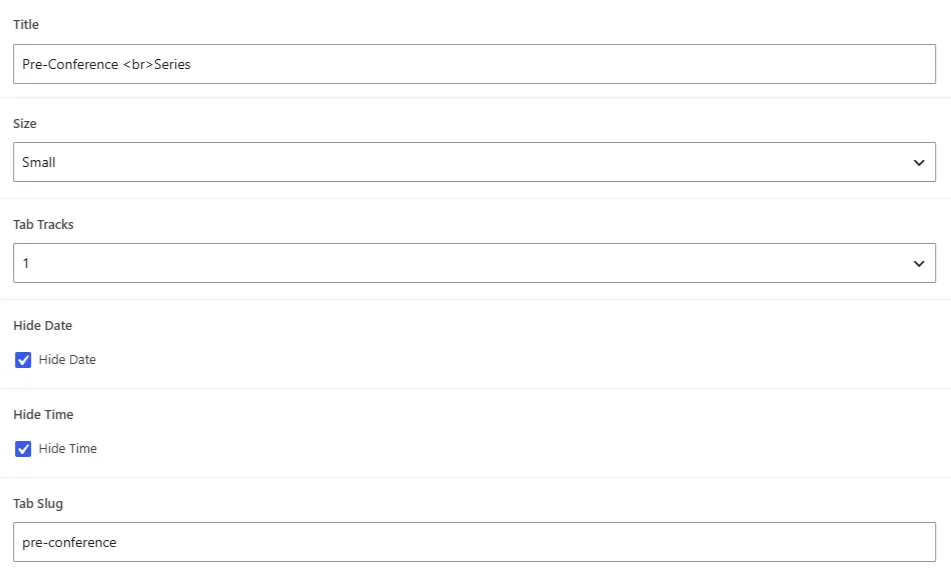
Event Agenda – Ability to Hide Session Times
It’s a regular request for these conferences to be able to hide the session times for some of the days. Previously, I’d just update this through the site’s stylesheets, but it comes up frequently enough that making it an option accessible through the admin area just made sense.
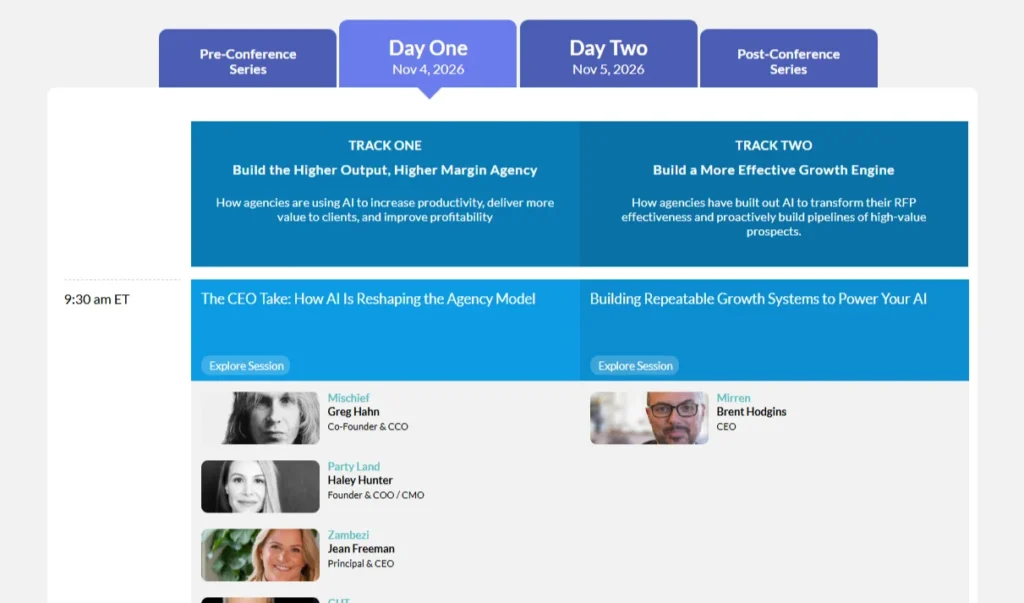
Urls on Agenda Listing Day Tabs
There’s always been a way to pass a parameter through the page url to open that day’s tab. It worked well, but we never exposed that URL to end users search engine crawlers (which of course would be beneficial to both). In this latest round of updates, I added this functionality, which should be beneficial for both the overall user experience and search engine optimization.
I also added the ability so that the admins, through the wordpress admin interface, can choose what those urls should be. Historically, changing the URL on something like that would have been an email to me, but as I’ve gotten busier over the years, it’s just better for everyone if I can give the client the power to do those types of things.
Quick Updates, Meaningful Results
The updates didn’t take too long, perhaps an hour or two, but even a week-and-a-half later, this little round of updates seems larger in my mind than the effort required of them. They were small updates, but have an outsized impact on the website and for my clients’ ability to update the site on their own.